
Multiplayer browser games to play with friends
Most of the good browser games for a group need nothing but a link. Here are ones that work today, grouped by what kind of evening you want, with what each costs and where the catch is.
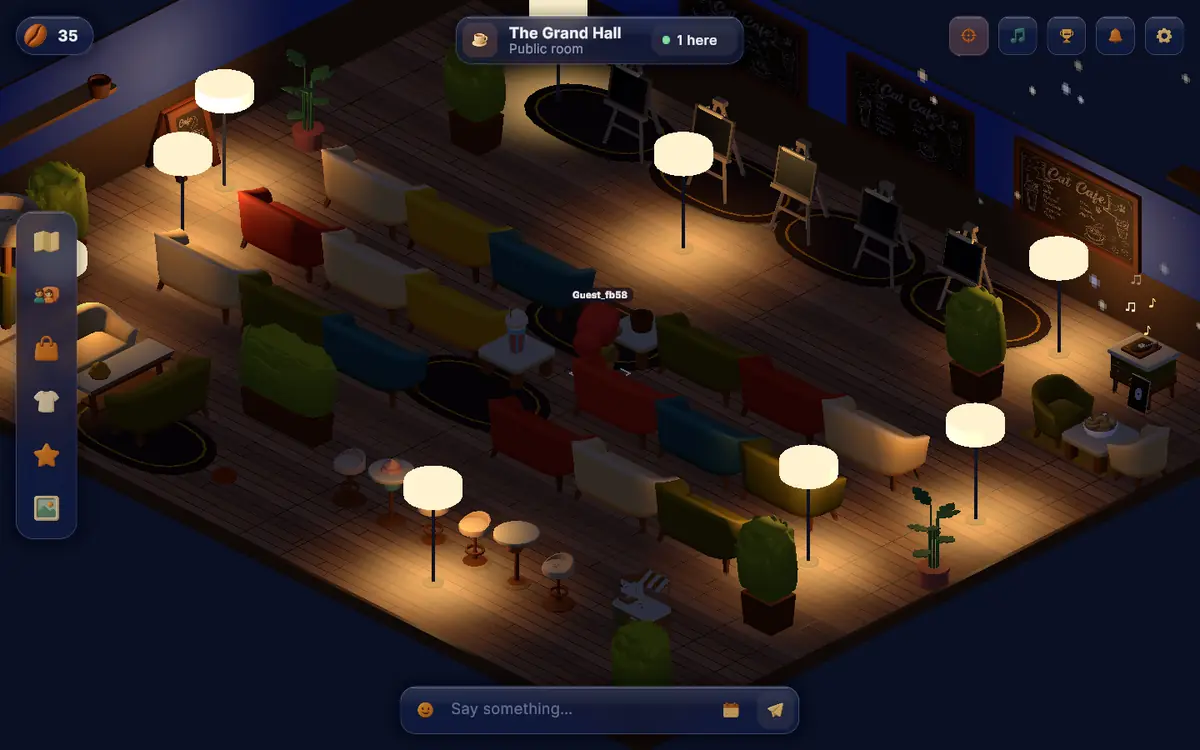
For a loud group, try skribbl.io or Gartic Phone. For something slower, Board Game Arena, Codenames Online or Lichess. For a chill evening with no goal, Kosmi or Midnight Cafe. All of these run in a browser and have a free way to play.
A good group game in a browser has three traits. It starts from a link, it needs no install, and a new player can join in under a minute. Everything below meets that. I checked each one's own site in October 2026, and I note where the site did not say something, so you know what I could not confirm.
Voice chat is not built into most of these. Open a call in Discord or any other app next to the game. The exception is Kosmi, which has voice and video inside it.
Drawing and party games
These work best with four or more people and are good for people who do not yet know each other well. The drawing is usually bad, and that is the point.
skribbl.io
A free drawing and guessing game, close to Pictionary. Each turn, one person picks a word and draws it while the others guess for points. On the skribbl.io home page you click "Create Private Room", set player count, draw time, rounds and even custom words, then share the invite link. The page does not mention any sign-up. Catch: the public rooms are full of strangers, so always use a private room with friends.
Gartic Phone
Telephone with drawings. One person writes a phrase, the next draws it, the next describes that drawing, and so on until the chain is funny and wrong. According to TheGamer's guide, it is a free browser game, the host shares a room link, up to 30 players can join, and there are 13 game modes, including a custom one. I could not open Gartic Phone's own site, so the details come from that article. Catch: with 30 players a round takes a long time. Eight to twelve is a better size.
Jackbox Party Packs
Not free, but the cost is shared. According to the Jackbox how-to-play page, one person buys a pack and runs it, and everyone else joins from a phone browser at jackbox.tv with a room code. You can play in person or remotely, as long as everyone sees the host's screen, for example through a Discord or Zoom screen share. Each pack has five games, for 1 to 8 players, and many allow an audience. The host needs a computer or console to run it, so this is a "browser" game only for the guests.
Board and strategy games
Board Game Arena
A site for playing board games in a browser. Its home page says no download is needed, calls it free, and lists 1,408 games. Reports I read elsewhere say some games are limited to paying members, but I could not confirm this from the site itself, so check before you plan a night around a specific game. Catch: the rules are strict, so someone has to learn each game. Pick one with a tutorial.
Codenames Online
The online version of the word-clue game, from its publisher Czech Games Edition. The publisher's page on the app and online version says it is free, needs no install, lets you send a link to your group, and supports up to 64 players per session. The game's site tells you to use a separate audio or video chat to talk. Catch: you need at least four people for a proper game, and clues only work if the group shares a language and references.
Lichess
For two people, chess. The Lichess about page describes it as a free, open-source chess server with no ads. You can create a game from the lobby and send it to a friend. Catch: it is one-on-one, and the pace suits quiet company, not a group call.
GeoGuessr
You are dropped somewhere in the world and have to guess where. The GeoGuessr site says it runs on the web and mobile and lets you create a private party. Its pricing page labels the free tier as limited and offers paid plans. It also says a Pro plan lets you invite people without a subscription. The pages do not say exactly what a free account can do with a party, so test it before inviting a group.
Chill and hangout games
These have no rounds and no winner. They suit an evening where you want company while doing something else.
Kosmi
A free site where you watch videos and play games together. The Kosmi site says it runs in the browser, needs no download, syncs YouTube and streaming services, and offers games such as Poker, 8 Ball Pool and Mini Golf. Voice, video and chat are built in, and friends join by invite link. A paid Premium tier exists but is optional, per the site. Catch: I could not tell from the site what a synced stream needs from each viewer, so test a film night with one friend first.
Habbo
The old pixel hotel is still running. The Habbo site describes it as a free game you can play in your browser, with room decorating. The Wikipedia entry on Habbo lists three versions, including Habbo Hotel: Origins, a 2024 re-release of the 2005 client for adults only. Catch: it is a large public game, so expect strangers. We wrote more about the history in the old internet.
How to pick for your group
| Group | Try |
|---|---|
| 2 people | Lichess, GeoGuessr |
| 3 to 6 friends who know each other | skribbl.io, Gartic Phone, Codenames Online |
| 6 to 12, mixed | Gartic Phone, Jackbox with a screen share |
| Quiet evening, work on your own thing | Kosmi, Midnight Cafe |
If a game needs a minimum number of players, check that before you send the invite. Codenames, for example, is built around two teams.
What to check before you invite people
Most failed game nights fail on small things. Before you send the link, open the game yourself and look for a sign-up wall, an ad that covers the board, or a player limit lower than your group. Check that the room link works in a private window, since that is how your friends will see it. Decide who explains the rules, because the person who knows the game best usually ends up doing it, and it helps if they are not also trying to win.
Think about time zones too. If your friends are spread across several, pick a game with short rounds so people can drop in and out without ruining it for the others. Drawing games handle this well. A long board game does not.
Practical tips
- Make a private room first. Public rooms mix in strangers, and many are in other languages.
- Use a separate call. A Discord voice channel beats in-game chat for drawing and word games.
- Test on the slowest computer. A friend on an old laptop will struggle with anything heavy. If someone cannot join, ask which browser they use and try another.
- Start small. Try a game with two friends before inviting ten people.
- Agree on an end time. A game with no end goes on until midnight. Pick three rounds, then stop.
For virtual worlds you can walk around in, see our list of free virtual world games in your browser. For more relaxed games, there is a page on cozy browser games. If you want to meet new people instead of playing with ones you already know, read how to make friends online.